Configure Network Proxy
LoginBox supports configuring a separate network proxy for each browser profile. Supported protocols: HTTP, HTTPS, SOCKS5, SOCKS4.
After setting a network proxy in the browser profile, all browser network requests are routed through the configured proxy.
Enable Network Proxy
Enable the network proxy in the profile editor (as shown).
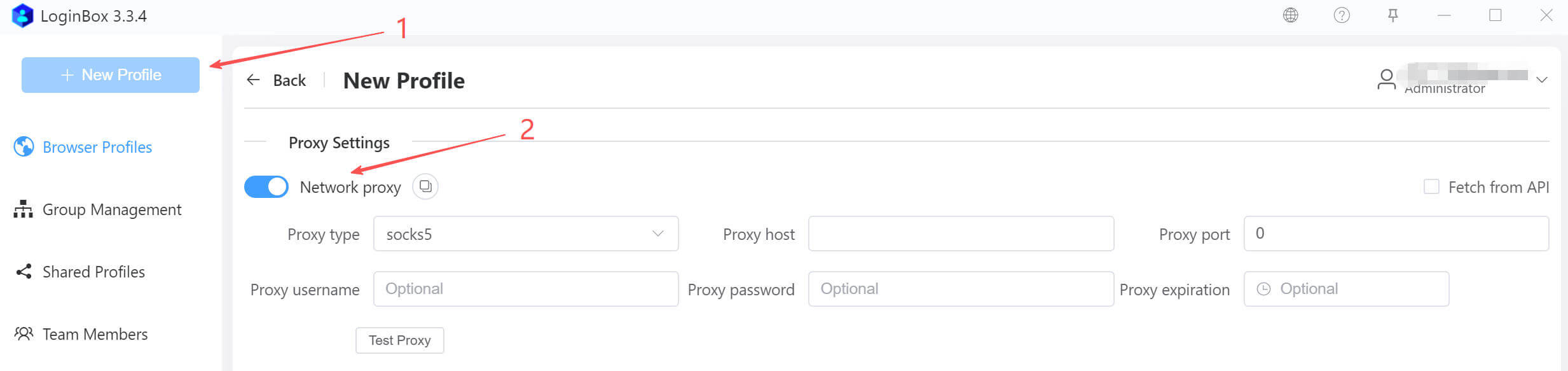
Input the proxy settings from your provider—type, host, port, and optional username, password, and expiration. Use Test Connection to confirm access and show the exit IP.
Quickly import data from the clipboard to auto-populate the form—no manual field-by-field input (as shown).

Supports the following data formats:
- protocol://username:password@host:port. Example: socks5://username:[email protected]:8008
- protocol://host:port. Example: http://127.0.0.1:8008
- protocol[optional]|host|port|username[optional]|password[optional]|expiration[optional]
Example 1: http|127.0.0.1|8080|username|password|2066-01-01 23:59:59
Example 2: 127.0.0.1|8080|username|password - protocol[optional]/host/port/username[optional]/password[optional]/expiration[optional]
Example 1: http/127.0.0.1/8080/username/password/2066-01-01 23:59:59
Example 2: 127.0.0.1/8080/username/password
Proxy Expiration Reminder
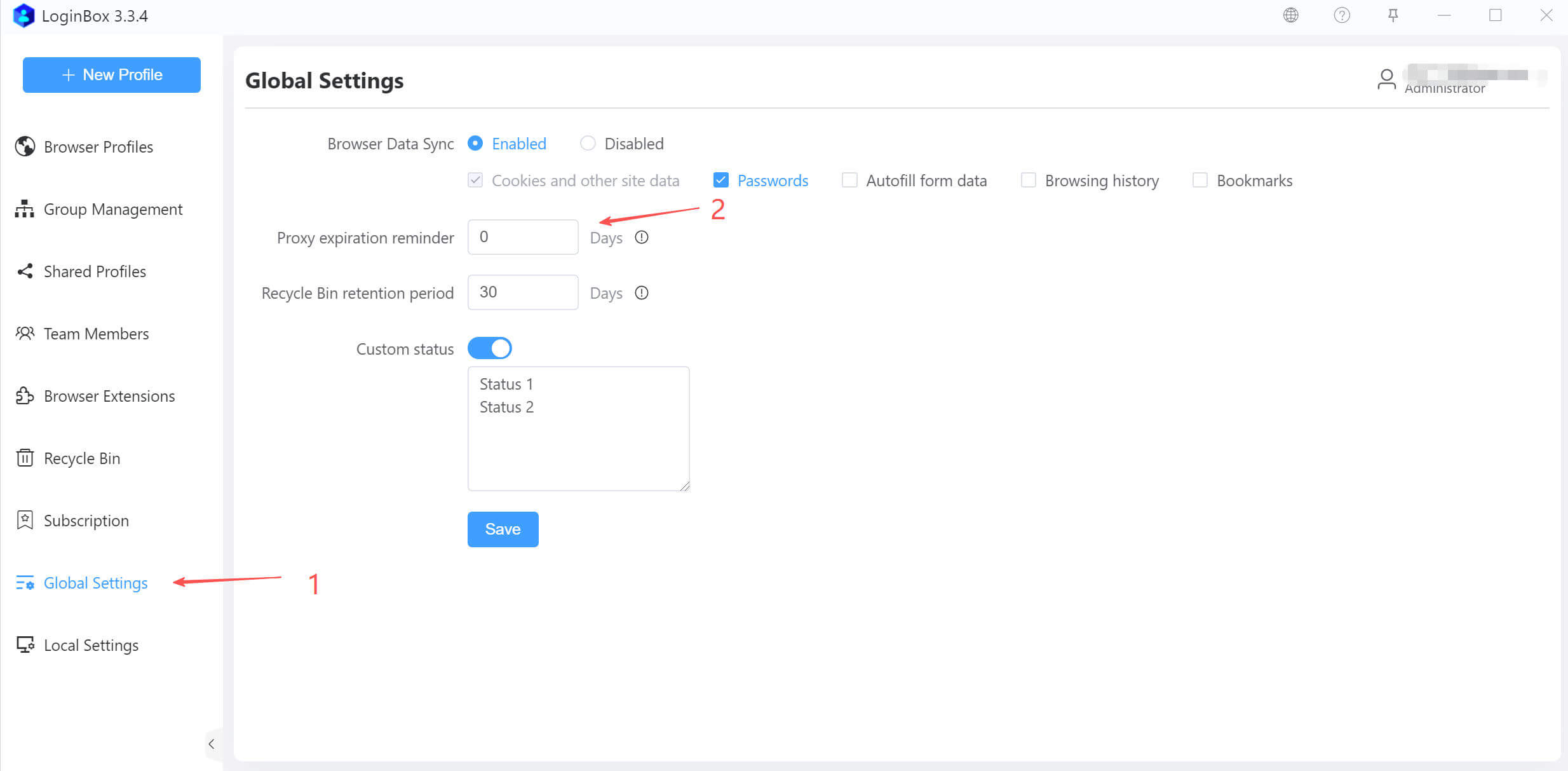
Proxy services usually have an expiration date. If you enter the expiration, the app will check before launching the browser and alert you when it’s about to expire.
In Global Settings (left menu), you can set how many days in advance to show expiration reminders (as shown).
Fetch Proxies from API
Some providers offer proxies via an API. These are typically dynamic IPs, and each fetched proxy includes an expiration time.
Supports fetching proxy details from an API and auto‑refreshing the proxy after expiration.
Use API to Fetch Proxy:

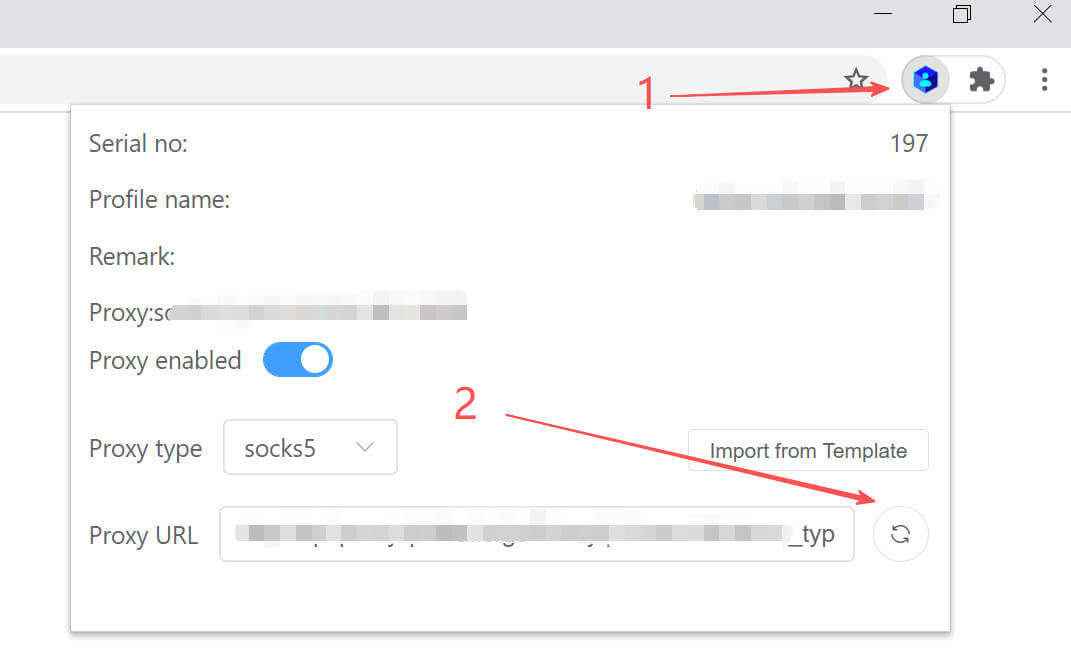
In the “Proxy URL” field above, enter the API URL provided by your proxy service provider, then click the Refresh button on the right to test the retrieval of proxy information.
Supports dynamically refreshing proxy settings without closing the browser. If “Retrieve proxies via API” is checked, the browser will automatically load an extension that refreshes the proxy dynamically. Click the “Extensions” icon to the right of the browser’s address bar to open a dialog where you can perform related actions, as shown below.