Edit Browser Profiles
Edit an existing profile.
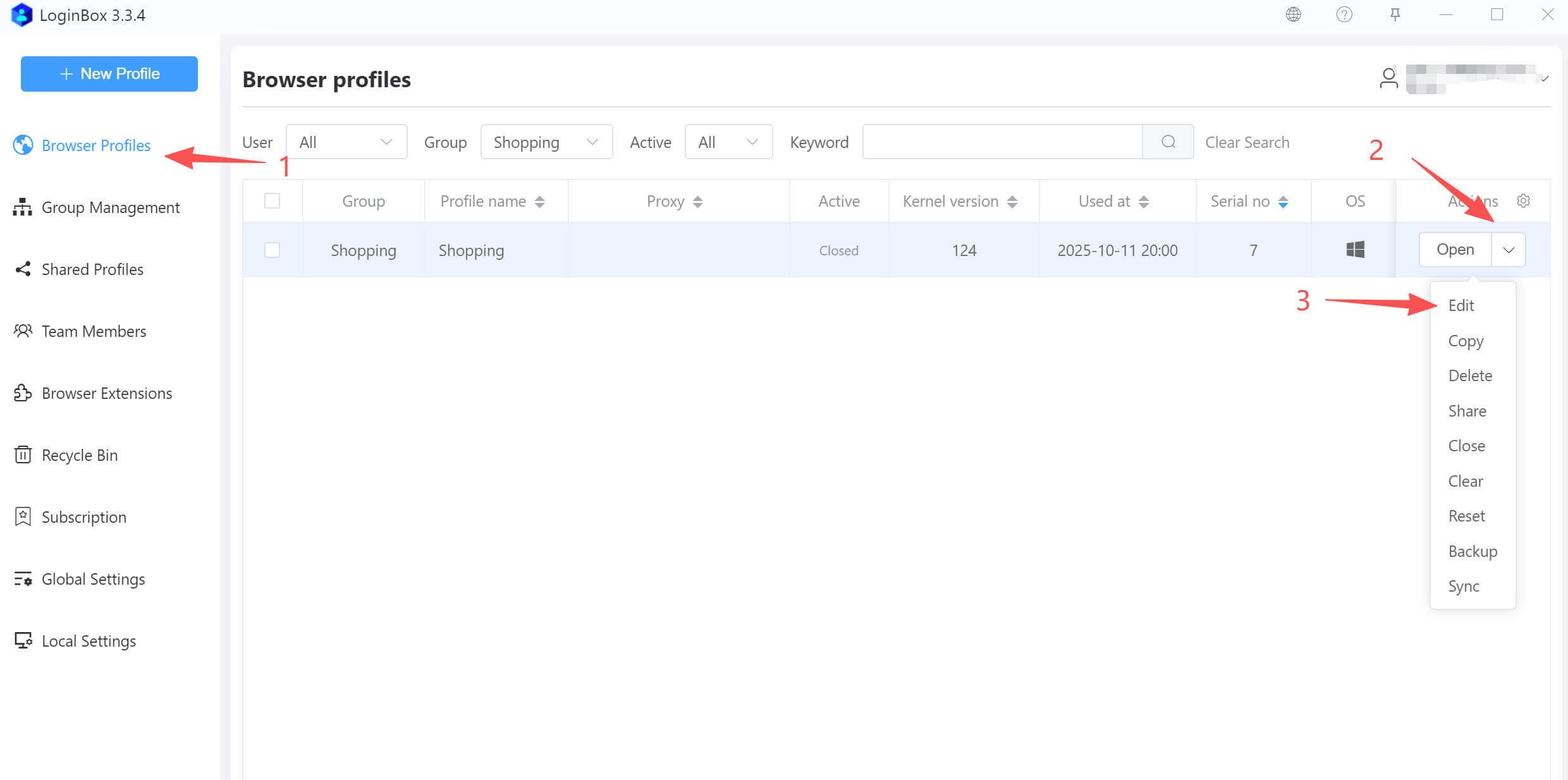
As shown above, click the dropdown on the right of the target profile and select “Edit” to open the edit profile page.
Quick rename
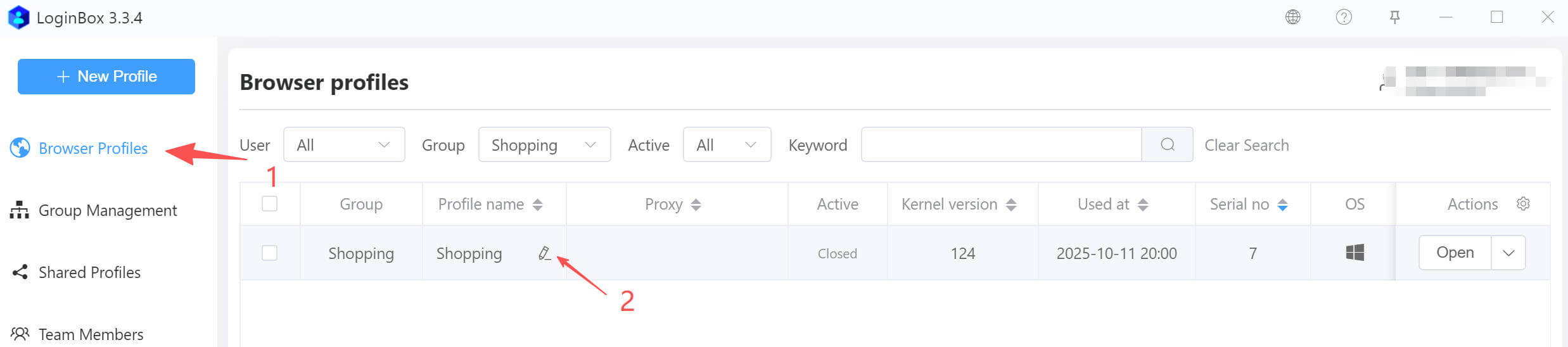
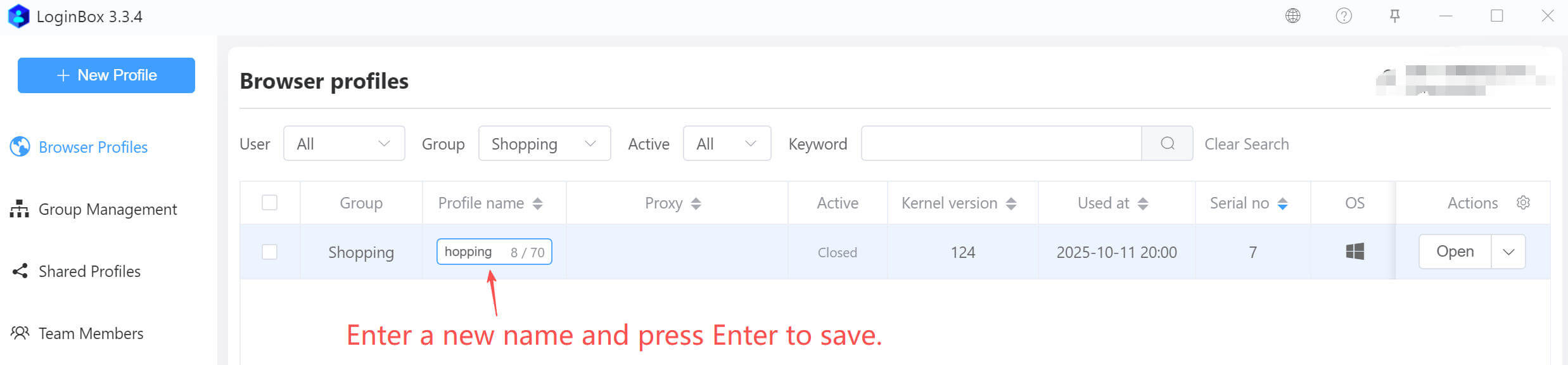
In the profile list, hover over a profile name and click the edit icon to quickly rename it.
Quick remark edit
On the profile list page, you can quickly edit the remark. The procedure is the same as the quick rename described above.
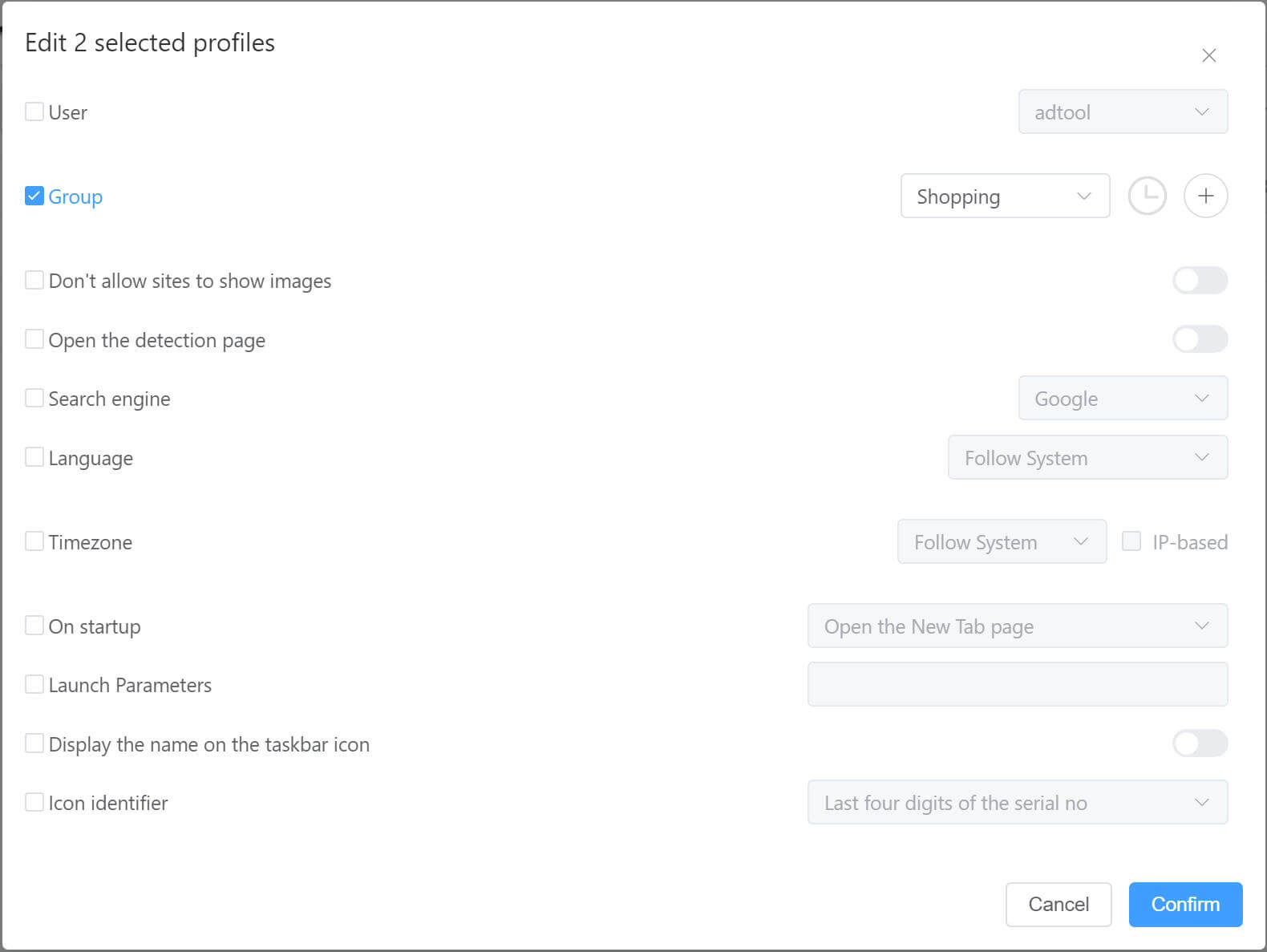
Bulk edit profiles
LoginBox enables bulk edits on selected profiles, as shown.
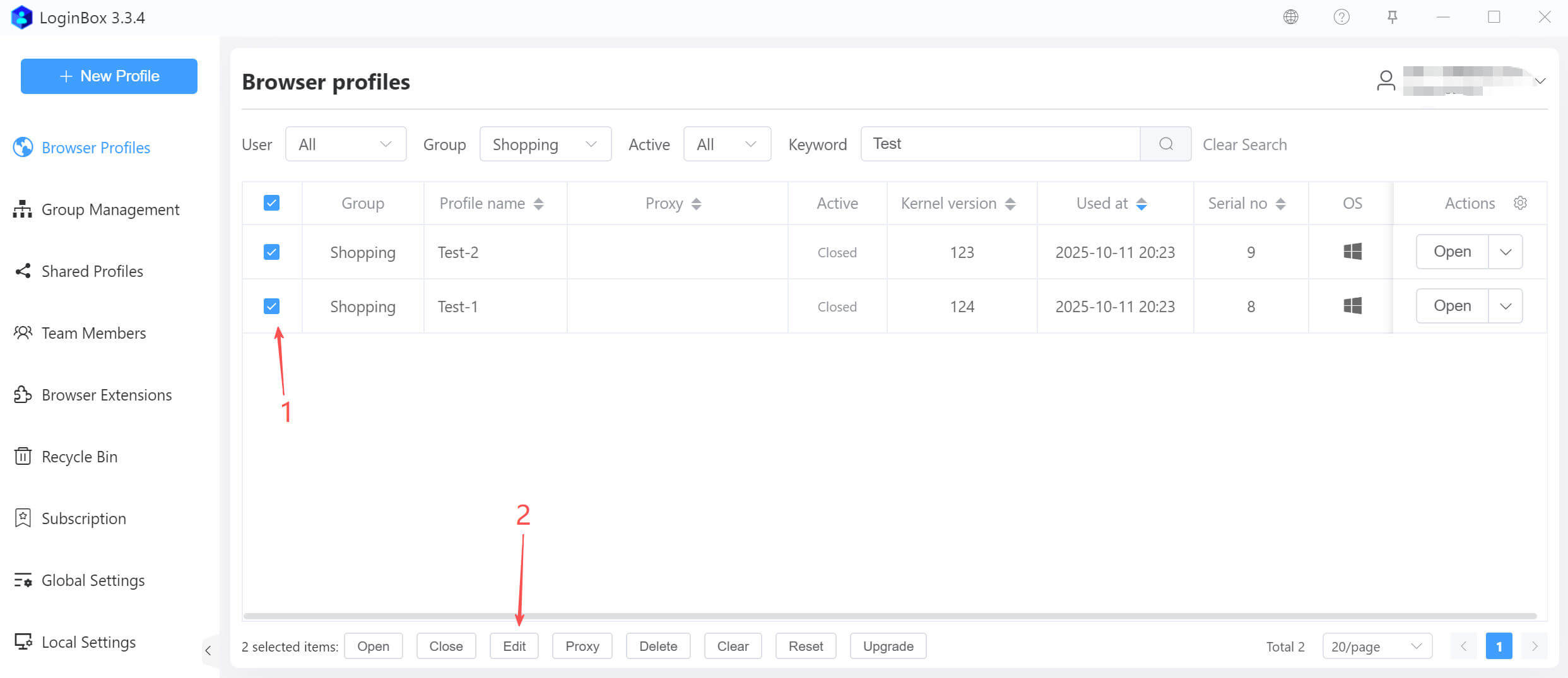
In the dialog that appears, edit as needed.