Upgrade the browser engine version
Each profile specifies a browser engine version. LoginBox includes a built-in browser based on the open-source Chromium project—the core engine behind Google Chrome, Microsoft Edge, Opera, and Brave. Chromium is continuously updated; newer engine versions fix security vulnerabilities and bugs, improve performance and stability, and add new features. If a site you visit requires a newer engine version, or if you want the latest features and improvements, you can choose to upgrade the browser engine version.
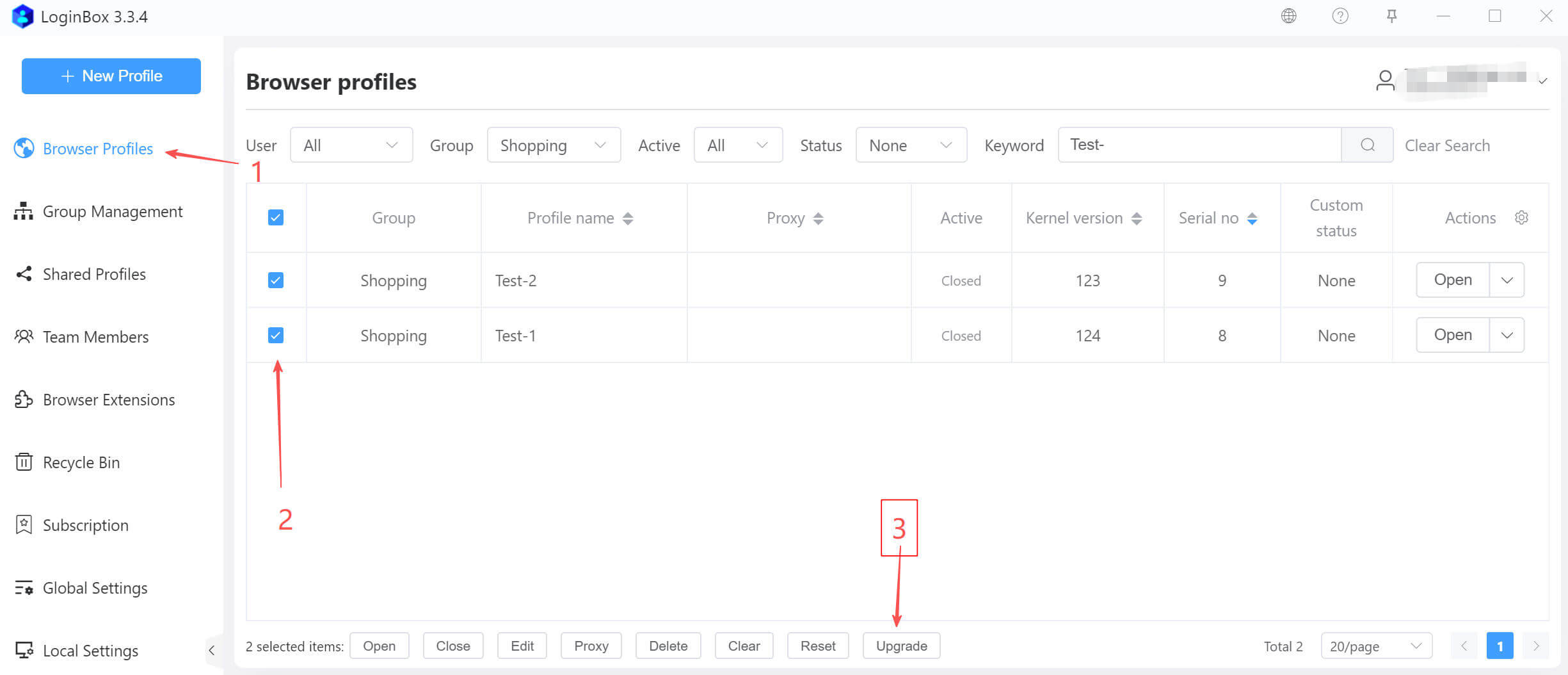
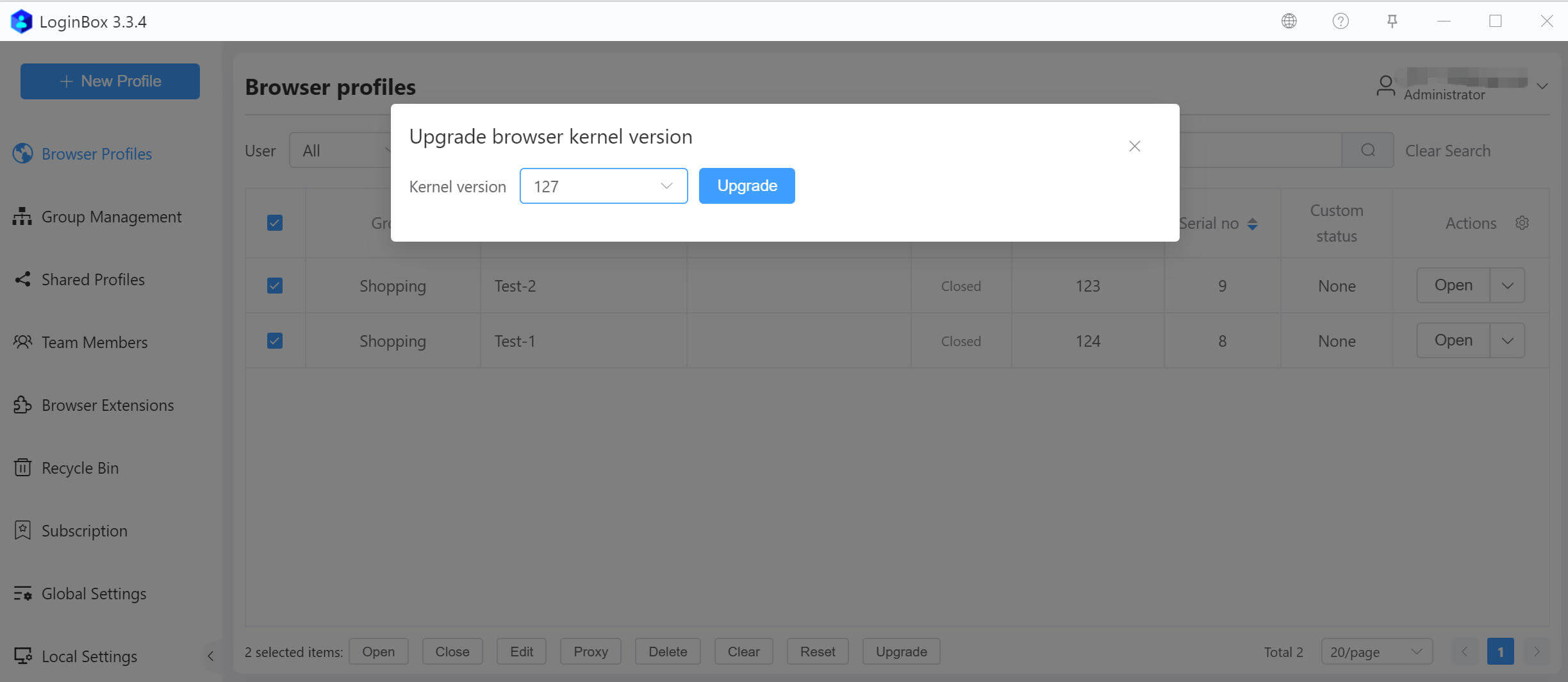
In the dialog that appears, select the target version and click the Upgrade button to complete the upgrade (as shown).