Create New Browser Profile
Overview
Each profile corresponds to an independent browser environment. Within each profile, you can define the basic settings for the browser environment, including the browser language, time zone, group, default search engine, network proxy, browser fingerprint protection, startup page, and more.
Create New Browser Profile
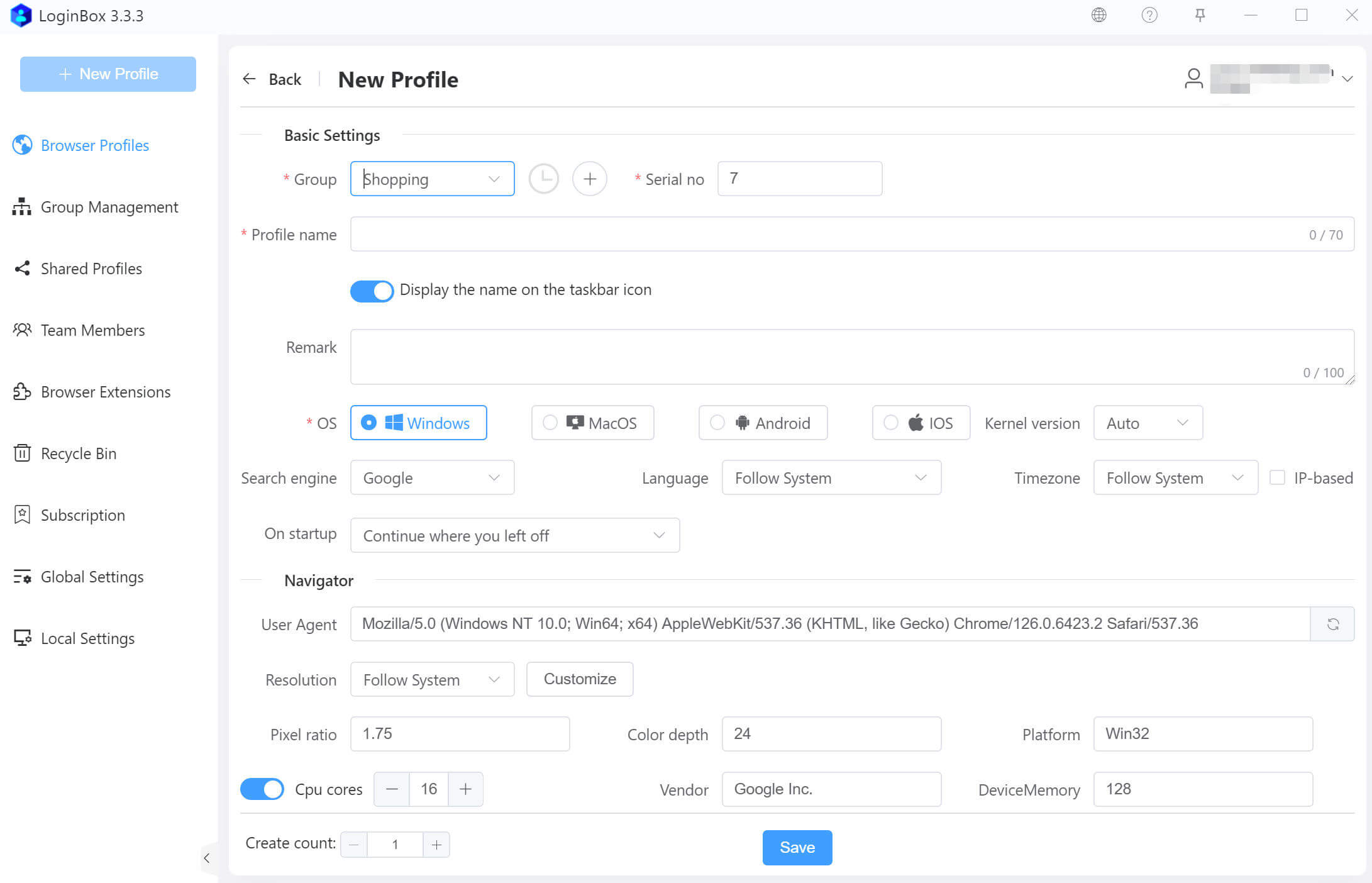
On the profile creation page, you can fill in the information according to your needs. Click the Save button to complete the creation.
Tip: For most users, it is only necessary to fill in the name, remarks, and set the group. The technical parameters on the page can be left at their default values.
Bulk Create
In the creation quantity setting, you can specify the number of profiles to be created at once.

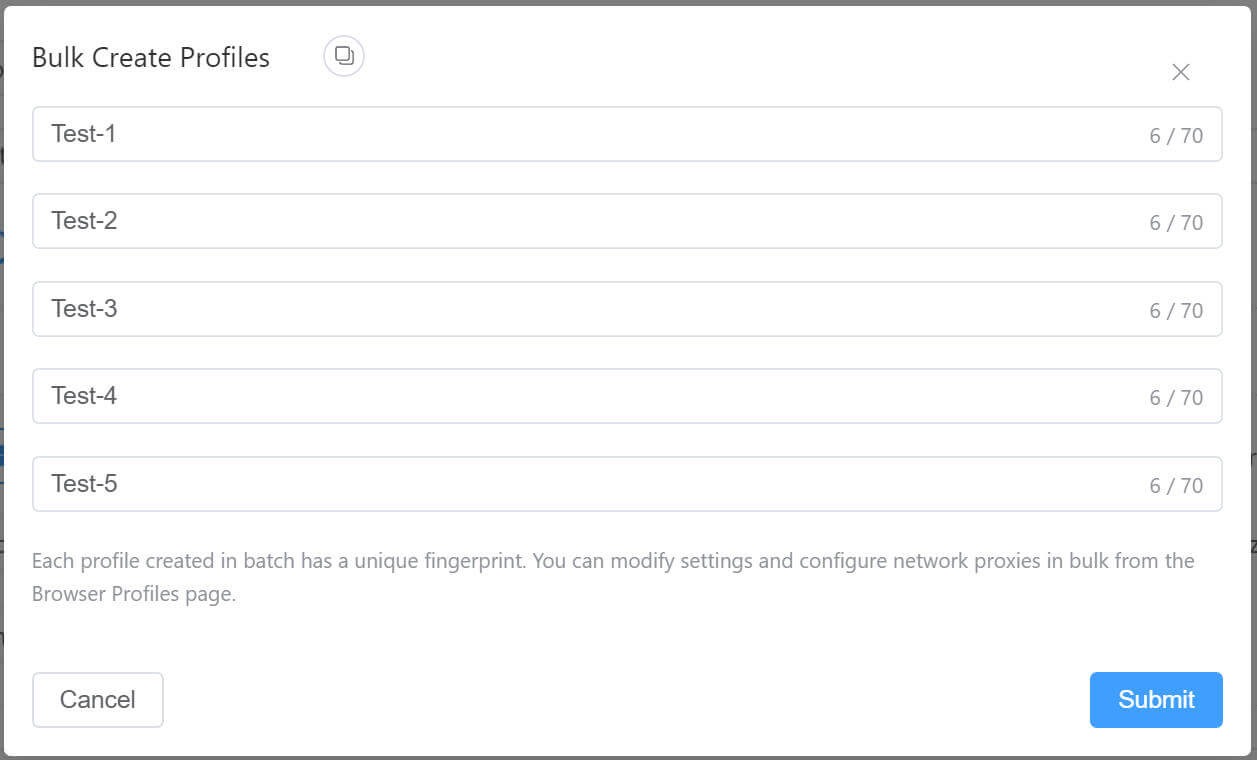
Clicking the Save button opens a dialog where you can set the names of each profile in one place.