Reset the browser profile
By resetting the browser profile, you clear related cache and data to get a brand‑new environment—easier than deleting and recreating the profile.
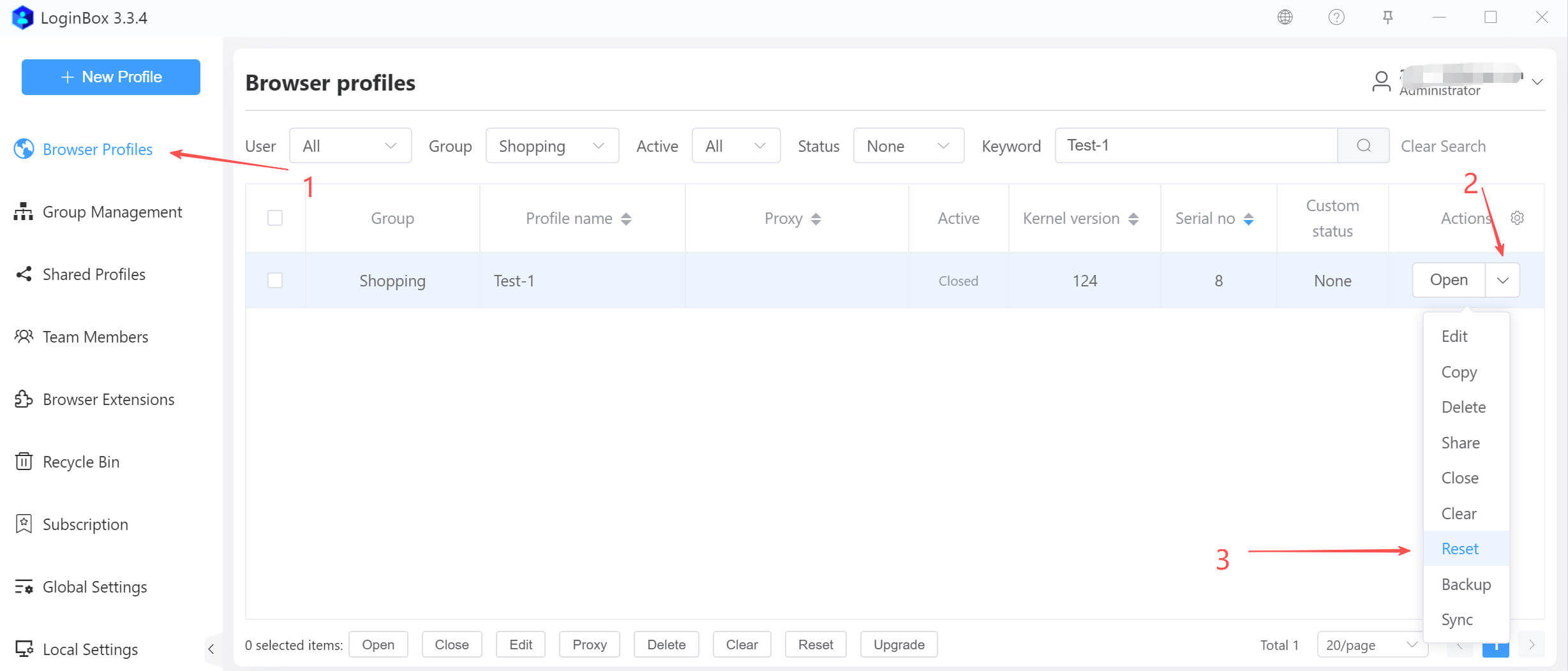
Reset a single profile
In the dialog that appears, select the items to reset, then click the Confirm button (as shown).
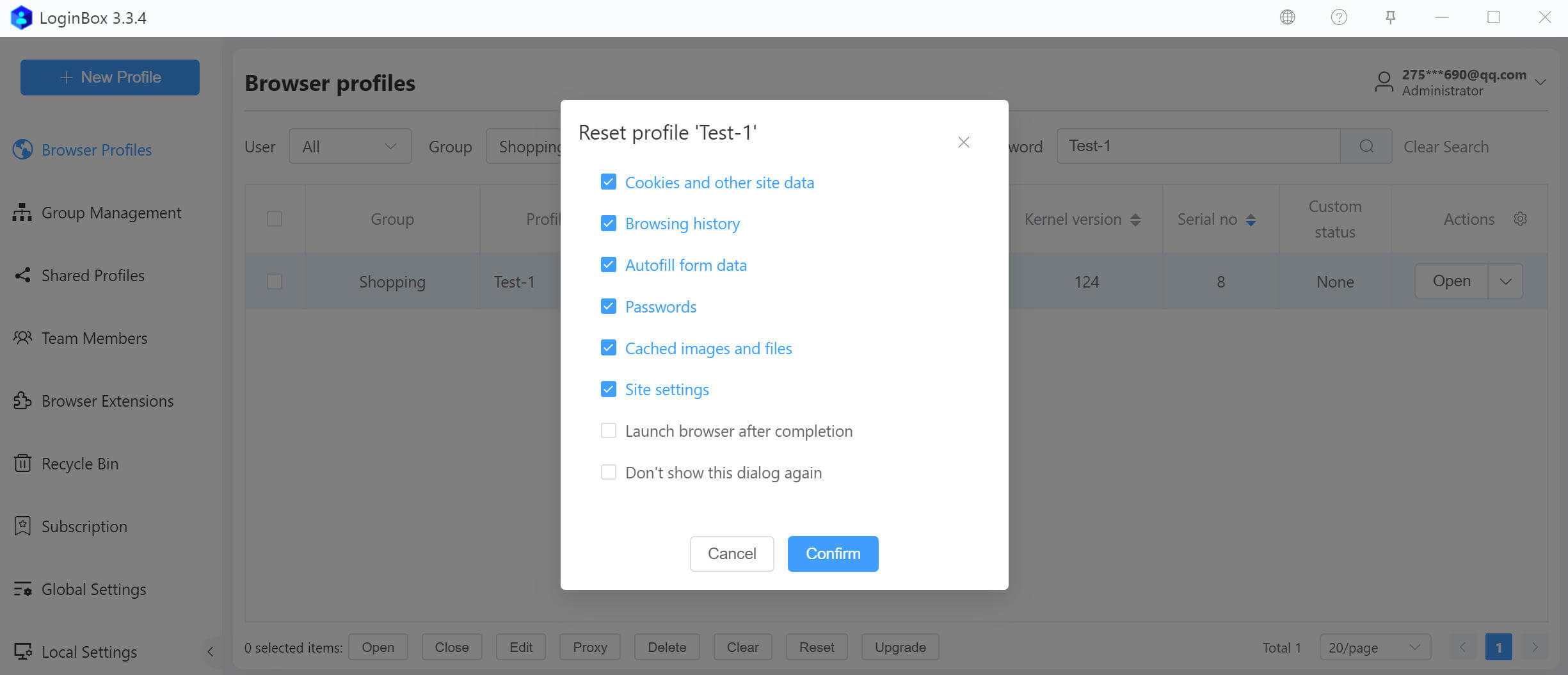
If you select “Don’t show this dialog again,” the next time you click the Reset button, the app will automatically apply your last-used reset options.
Reset multiple profiles
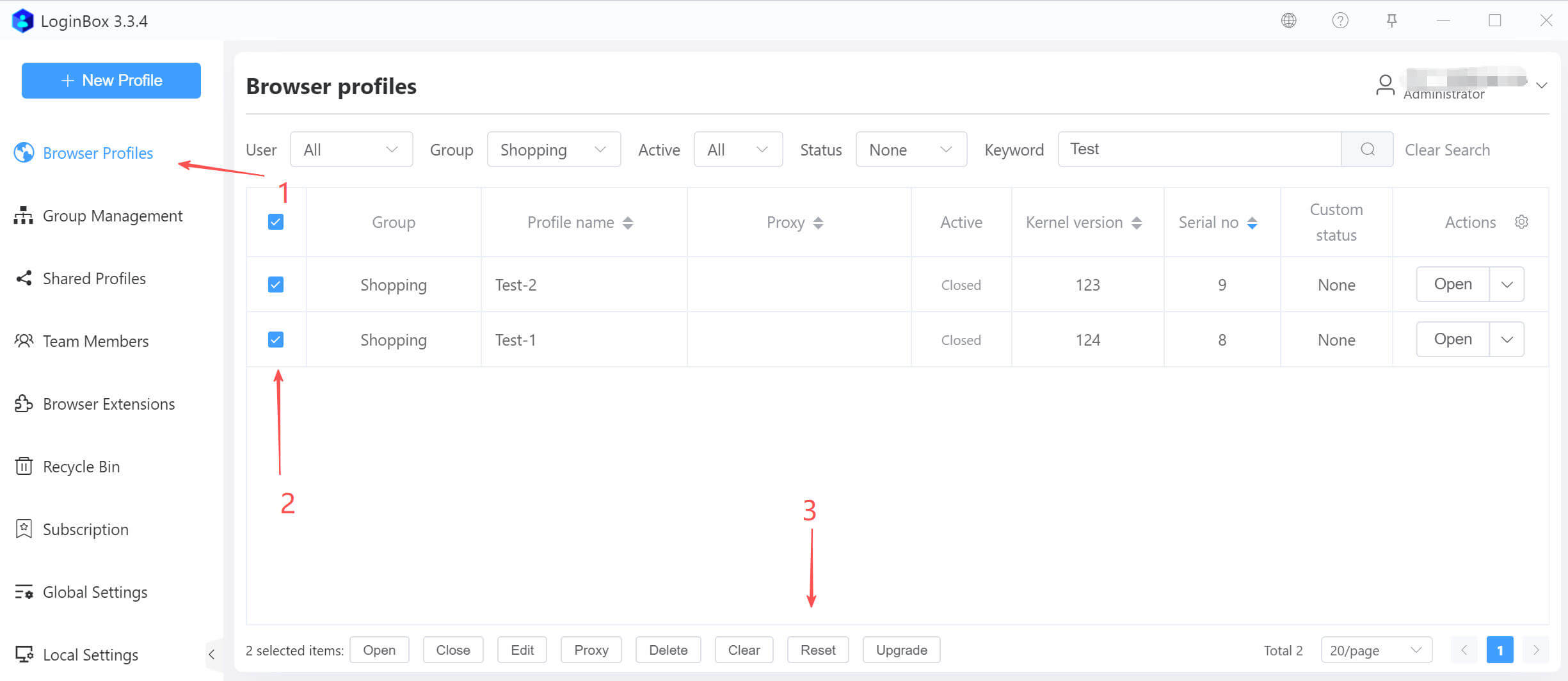
Select multiple profiles, then click the Reset button at the bottom to reset the selected profiles at once (as shown).