Share Browser Profiles
You can share profiles with other users of the software. Sharing a profile only shares the browser environment settings; it does not share any browser data (browsing history, bookmarks, saved passwords, autofill data, cookies, or other site data).
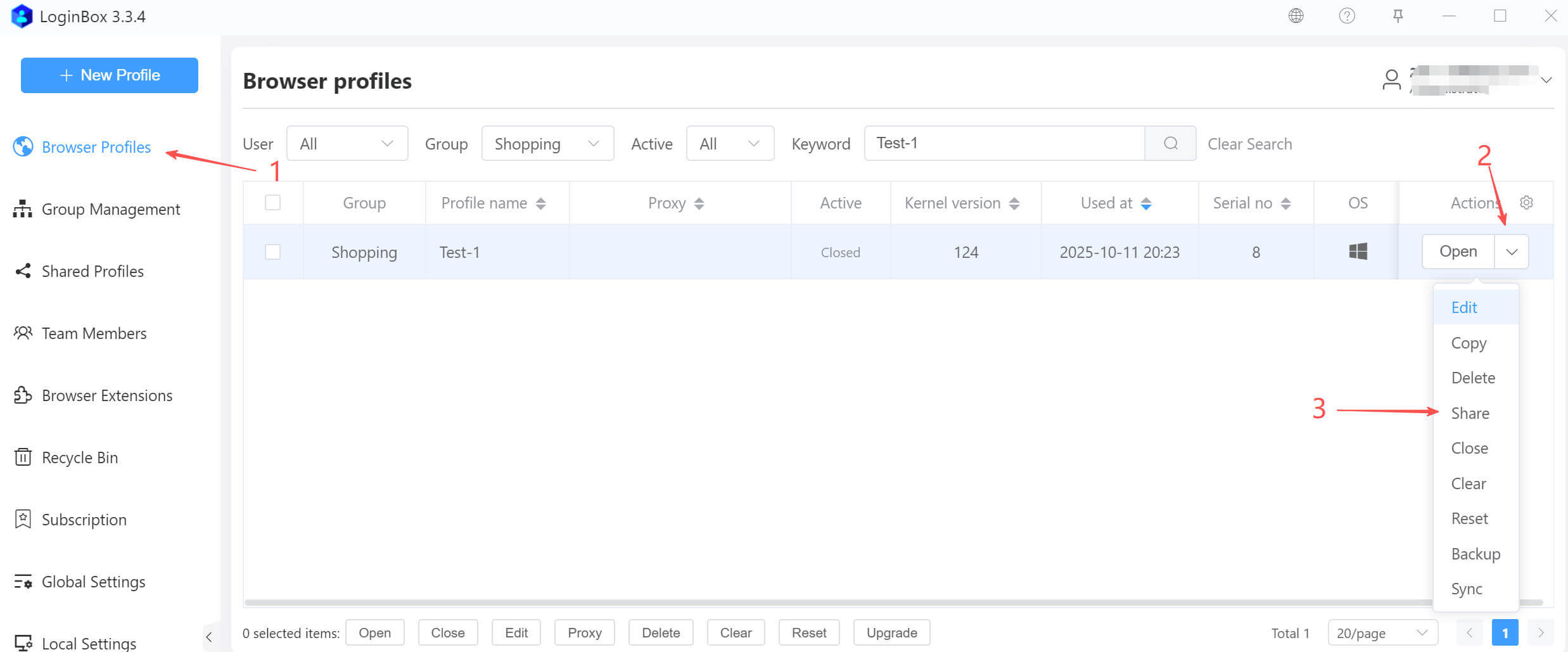
As shown above: Expand the dropdown to the right of the target profile, then click “Share” in the menu.
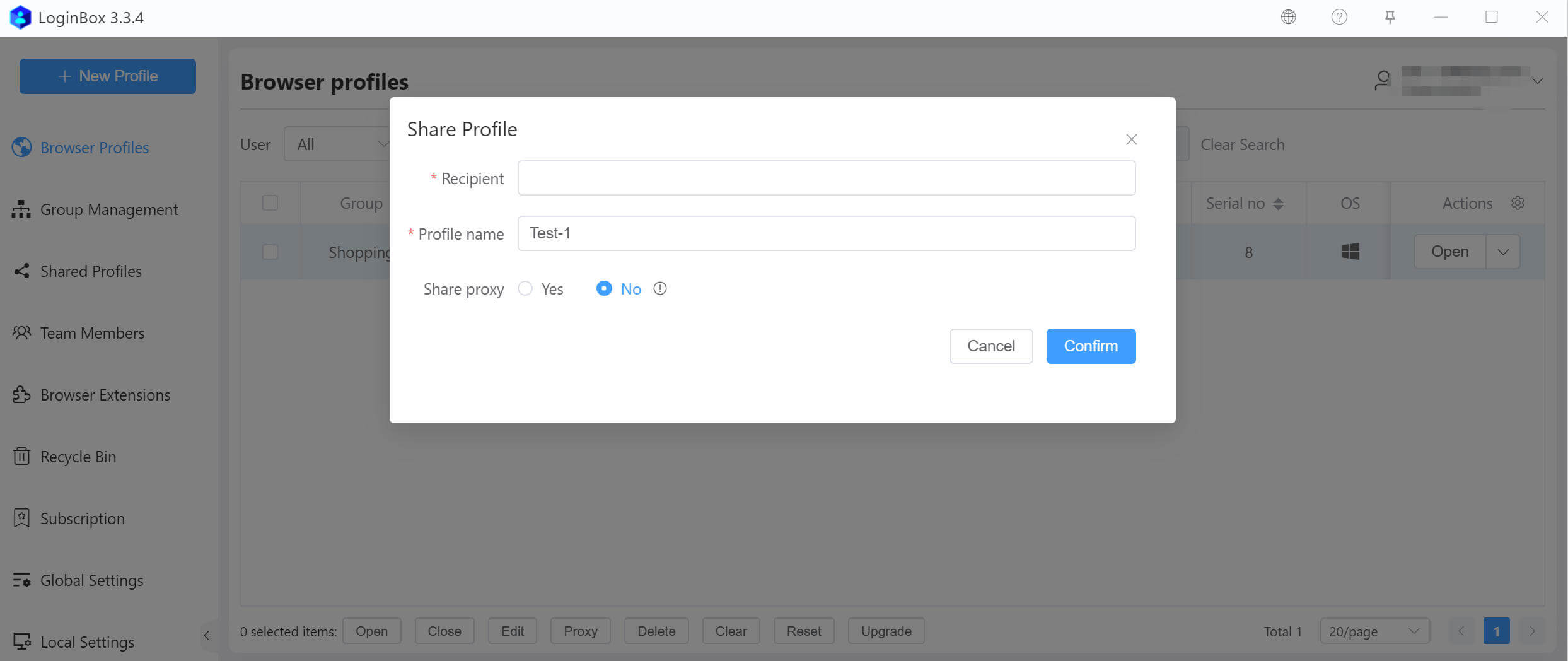
In the dialog that appears, type the recipient’s account (email). You may optionally include the profile’s network proxy information.
Revoke share
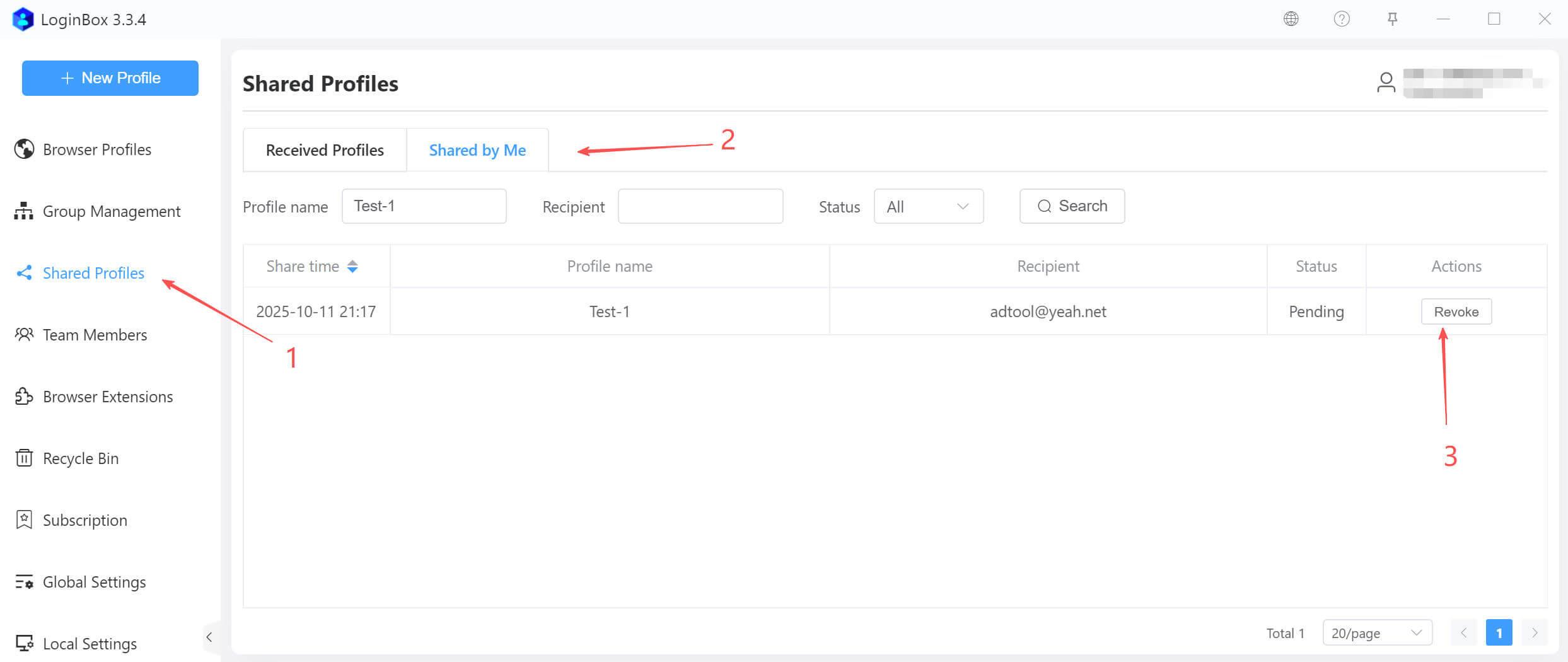
If the recipient hasn’t accepted the shared profile yet, you can revoke it.
Accept a profile shared with you.
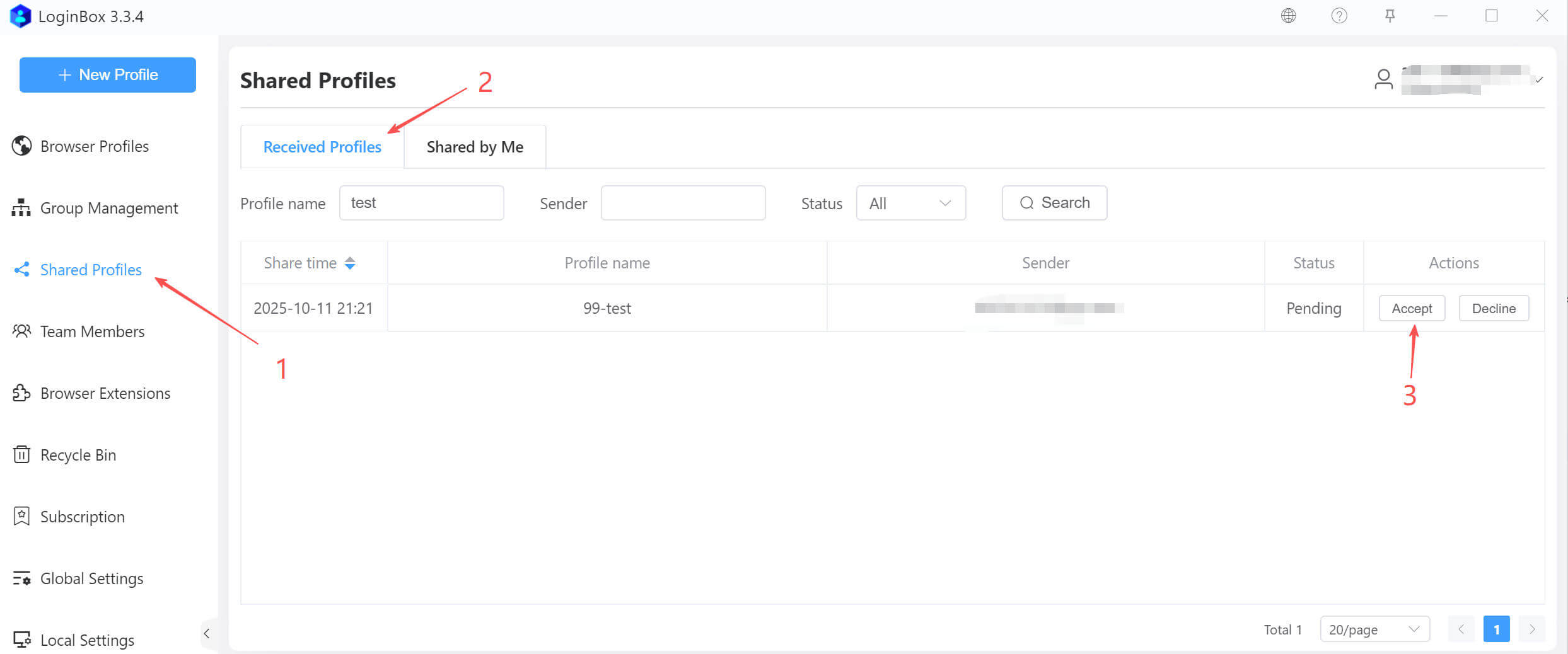
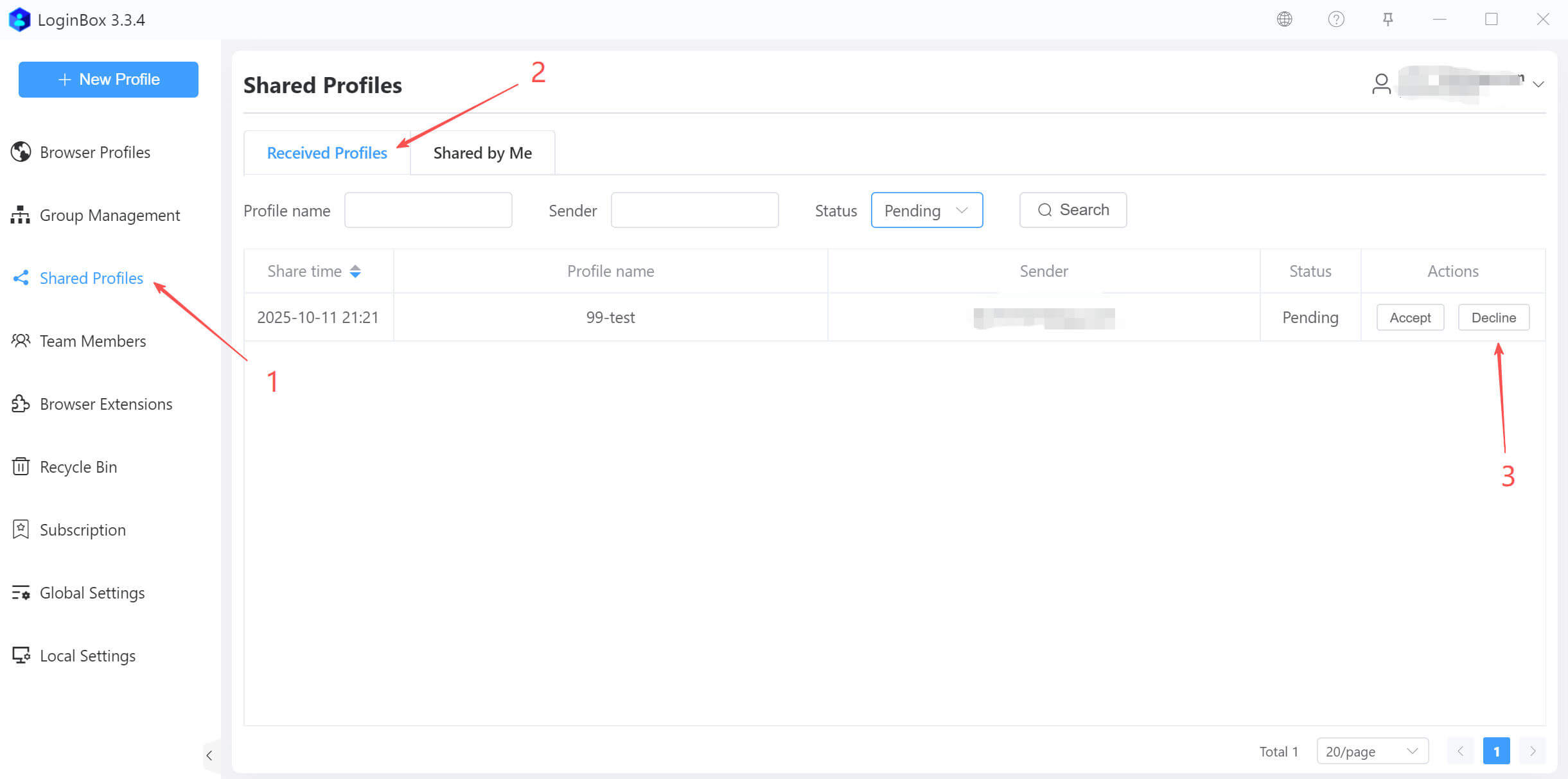
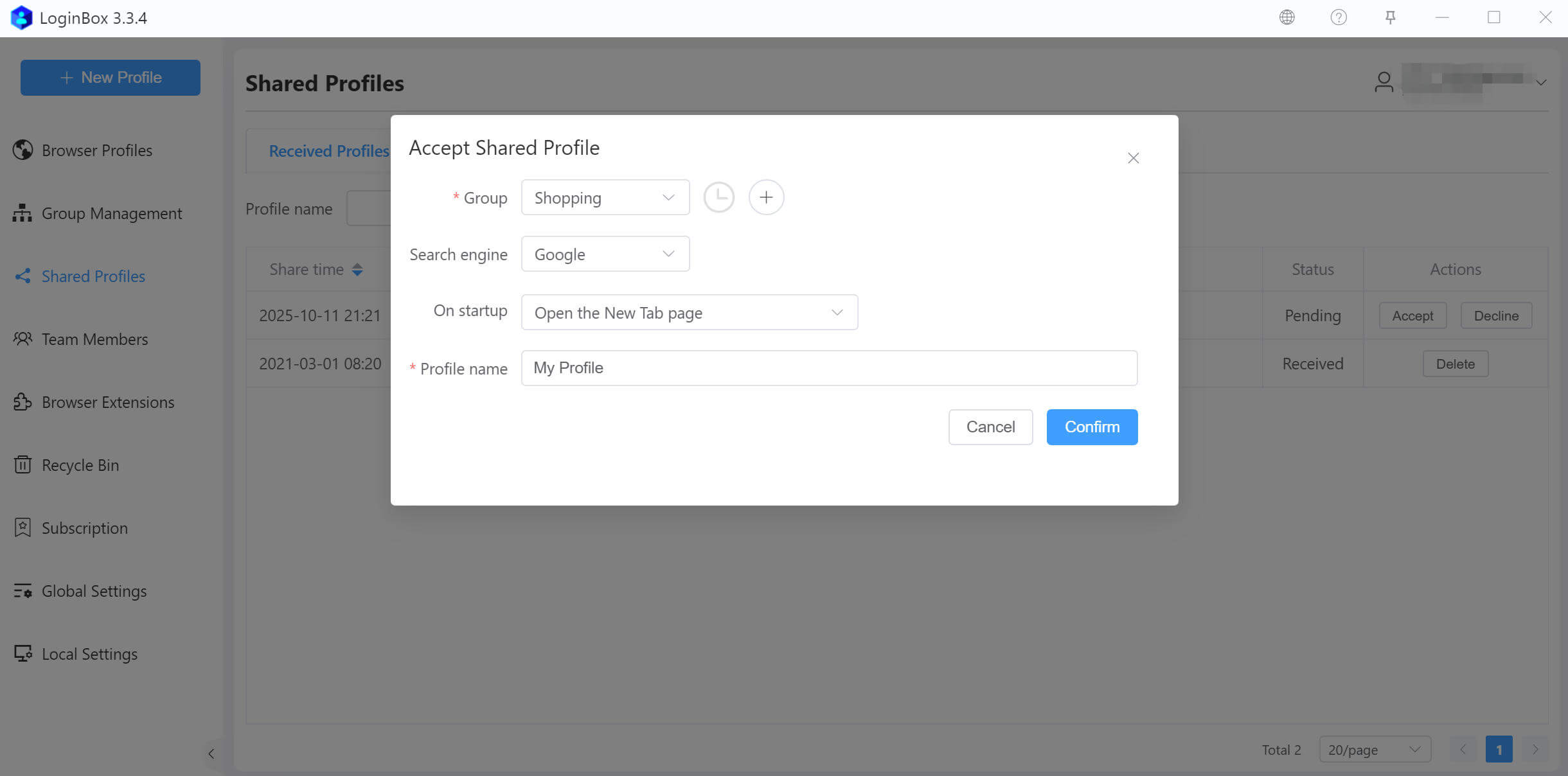
To accept a profile shared with you, click the “Accept” button shown above. In the dialog that appears, set the file name and choose a group, then click “Confirm”
Decline a shared profile
If you don’t want to receive the profile shared with you, click the “Decline” button shown below to reject it. You can also do nothing; this won’t affect your use of the software.