Custom Status
Users can define custom statuses for profiles according to their workflow—essentially tags or categories.
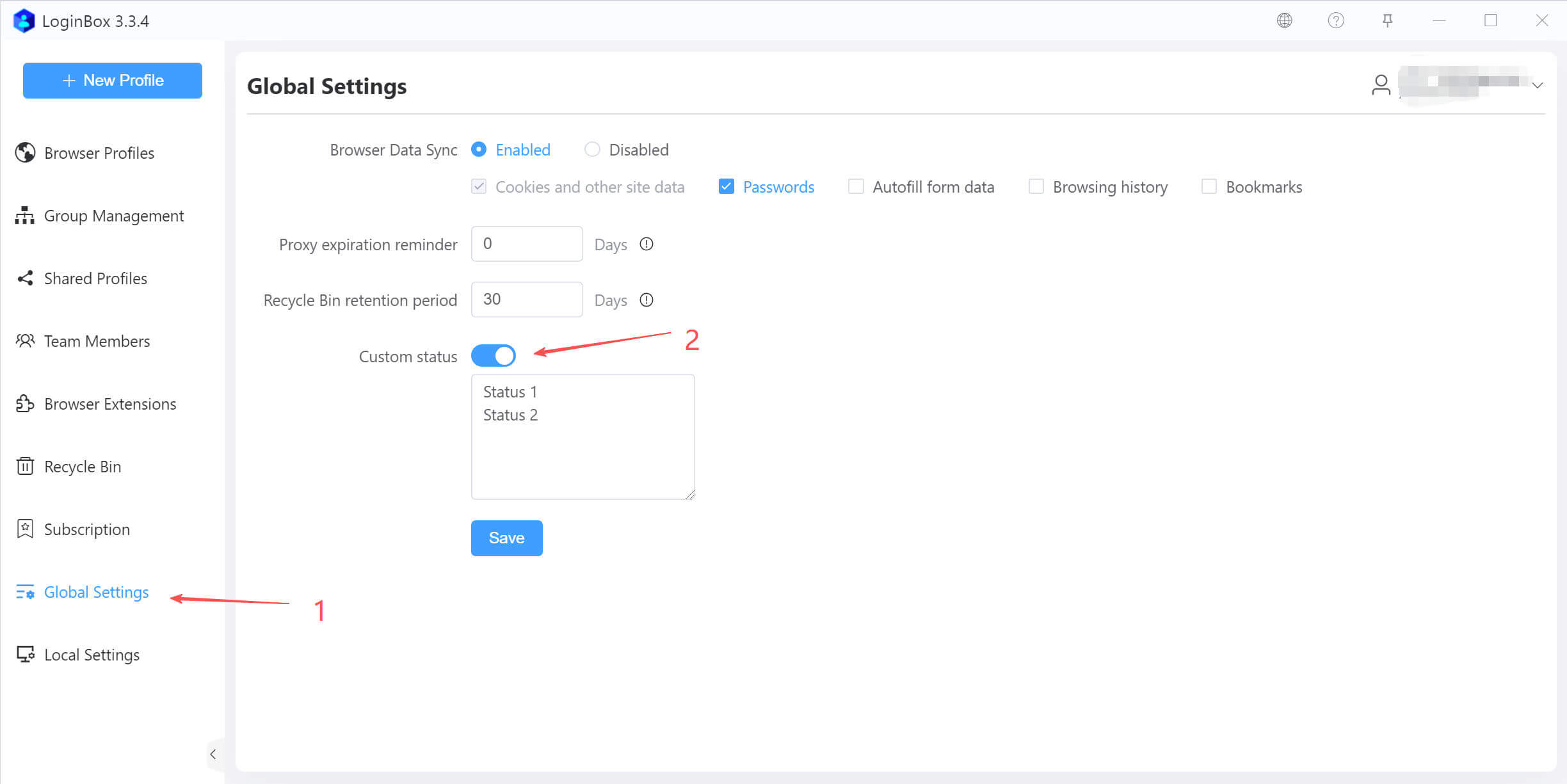
Create custom status
In the left sidebar, go to Global Settings, enable Custom Status, and set the status values (as shown).
Set a custom status for the profile
When creating or editing a profile, you can select its custom status (as shown).
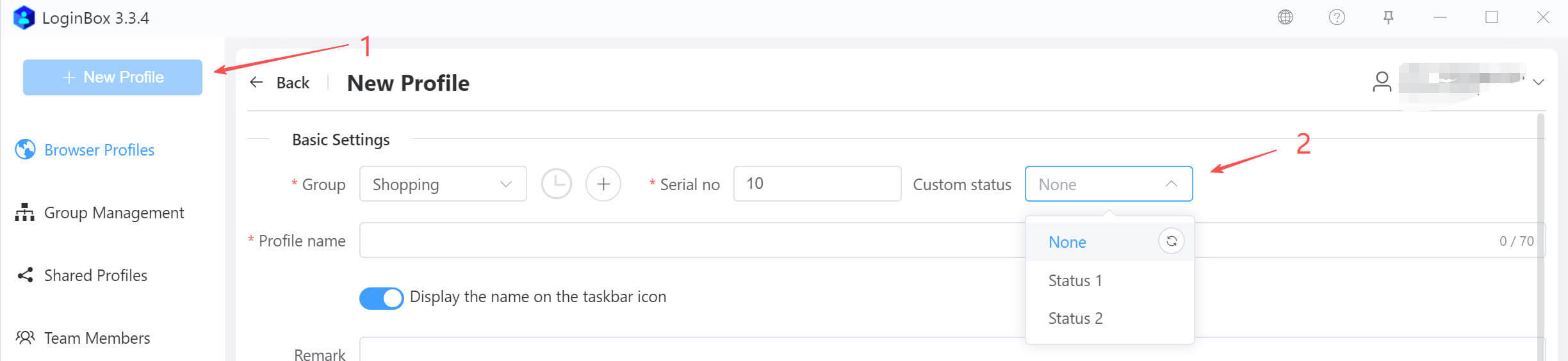
“None” in the dropdown means no status value is assigned.
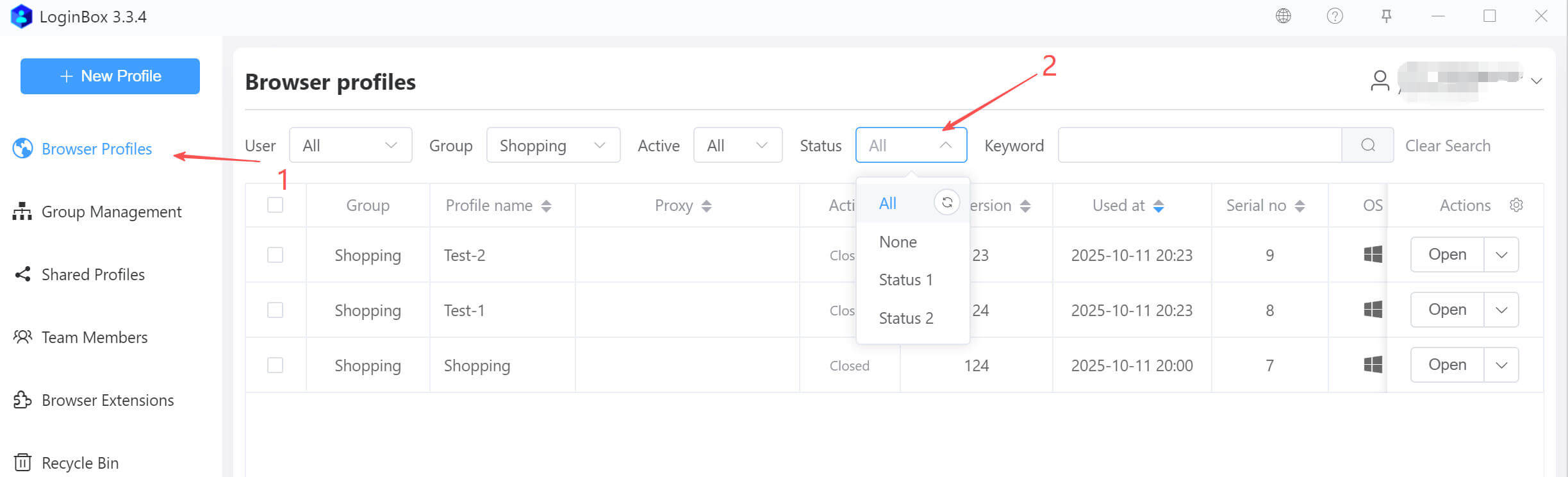
Search by custom status
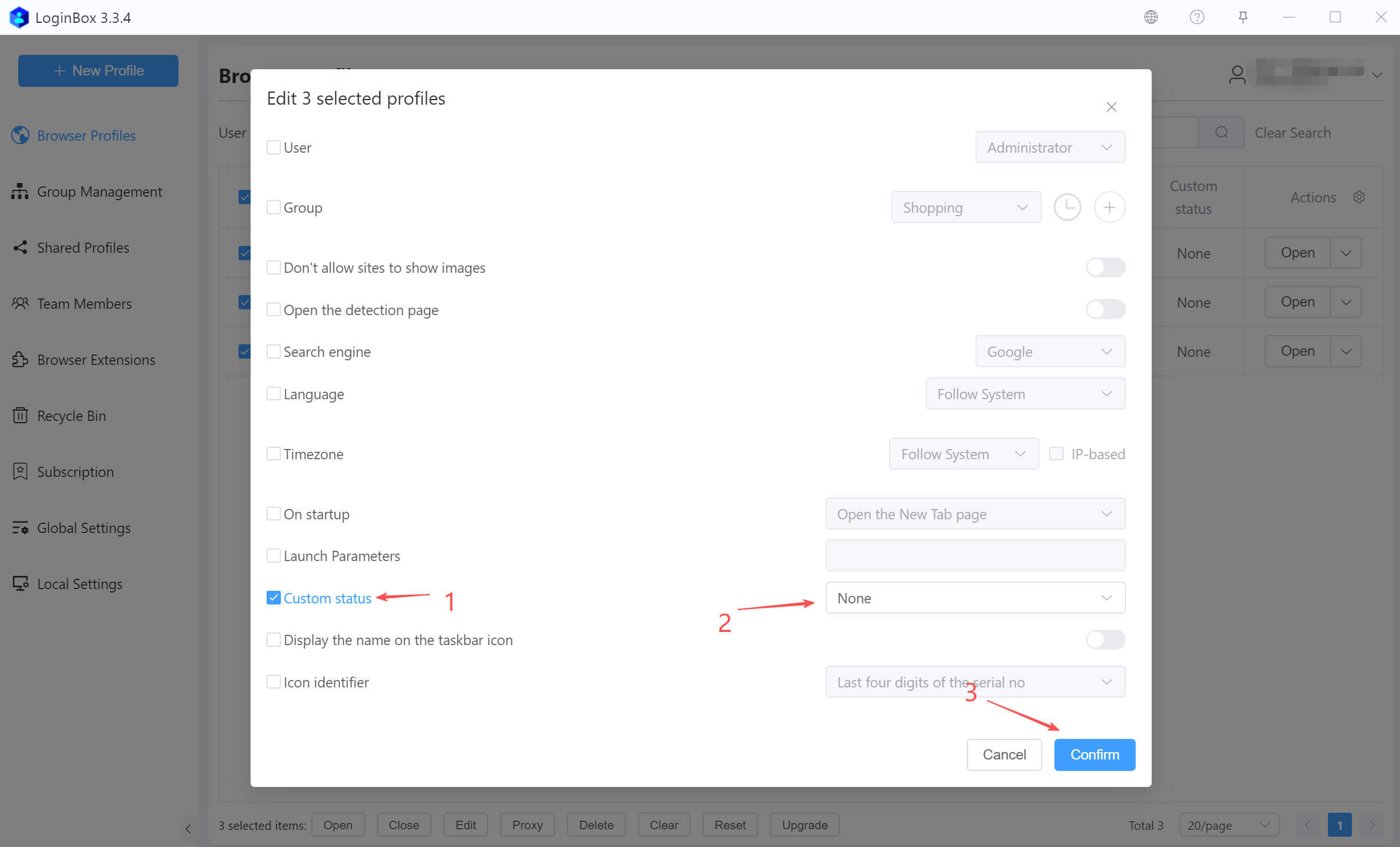
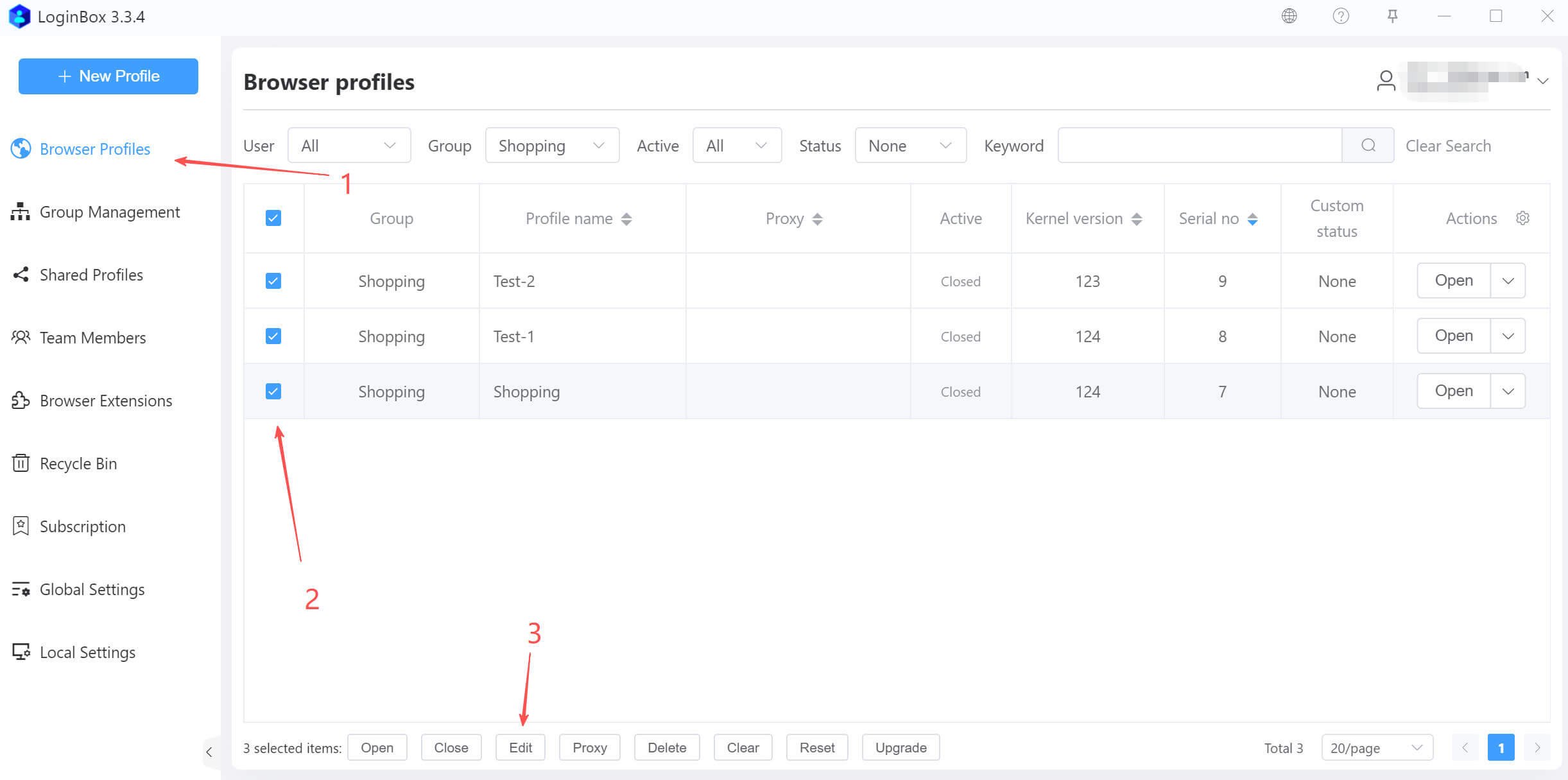
Bulk update custom status for profiles
In the modal, enable Edit custom status, pick the appropriate status, and click Confirm to finish the bulk update (as shown).